Customer support
TicketSort
Every ticket and review sorted by topic and urgency, with a reply ready to edit.
Open the demo
Runs in the browser with sample data. Nothing to install or sign up for.
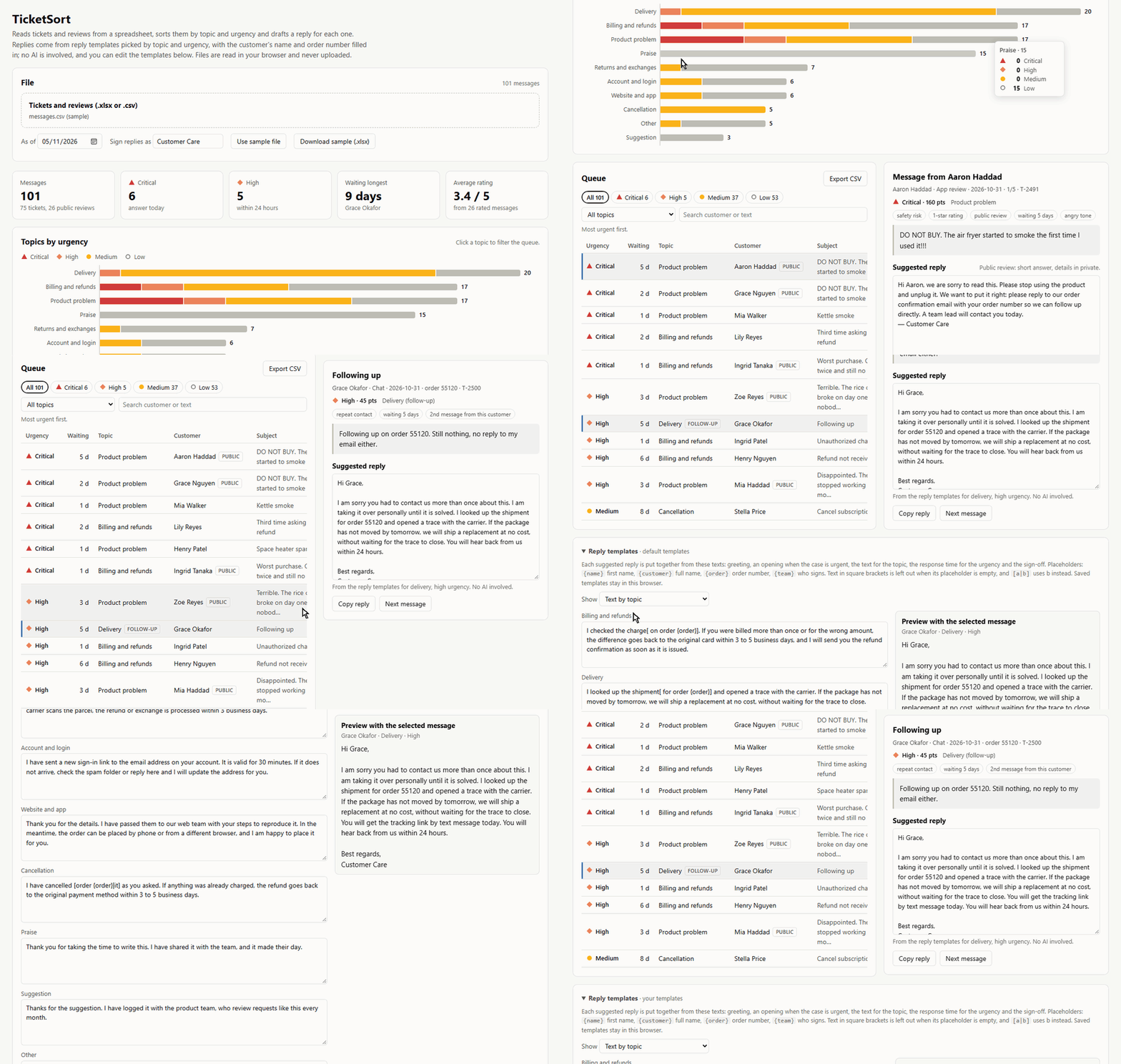
The problem
At the start of a shift the inbox has dozens of messages. A safety complaint, a chargeback threat and five "where is my order" look the same in the list, so the urgent ones get answered late and every reply is written from scratch.
Who it is for
- Customer support and customer success agents
- Online stores and service companies that answer public reviews
- Team leads who split the queue at the start of the day
How it works
- Export tickets and reviews from the help desk or the store as Excel or CSV and load the file.
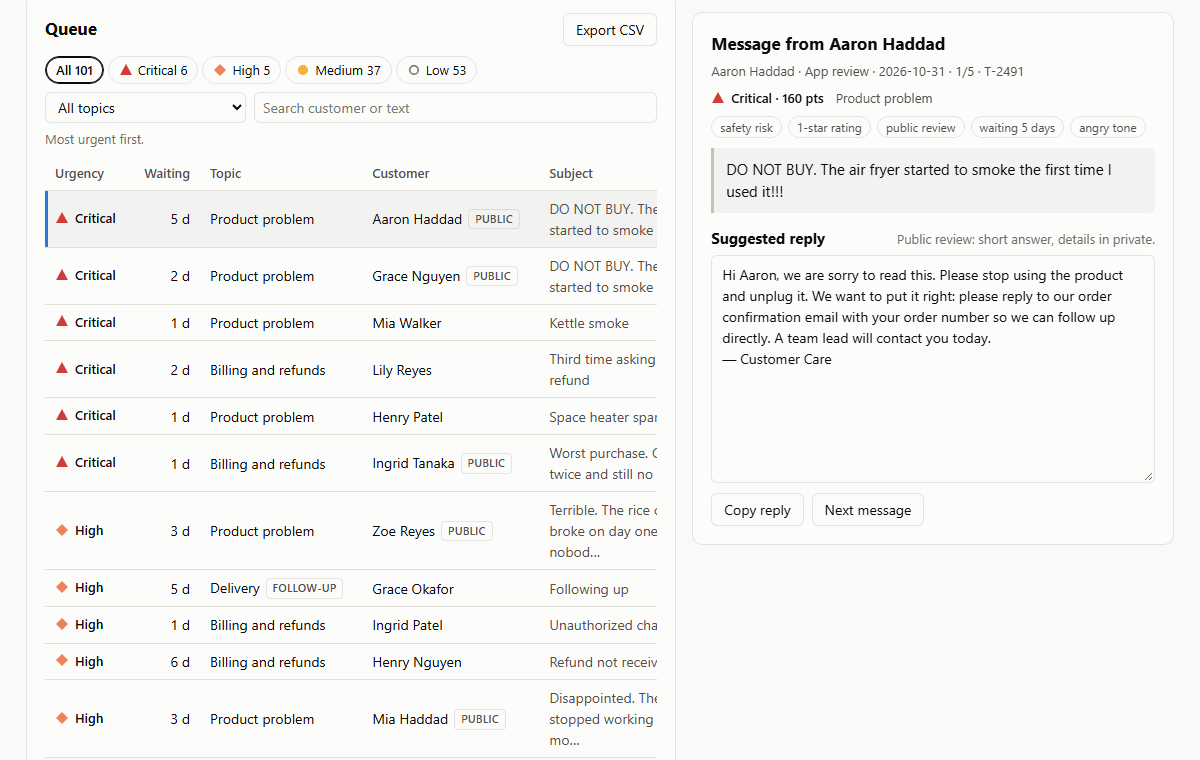
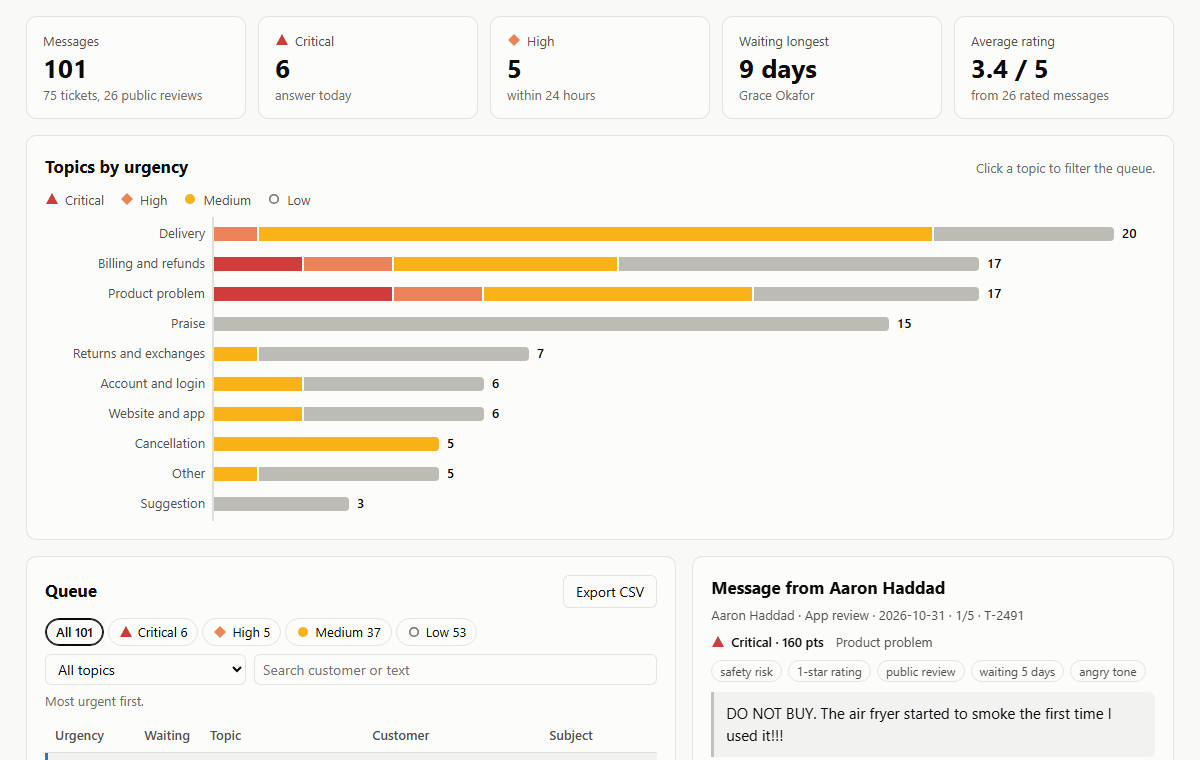
- Each message gets a topic (billing, delivery, product problem, cancellation and more) and an urgency score from safety words, chargeback threats, low ratings, public reviews, repeat contacts and waiting time.
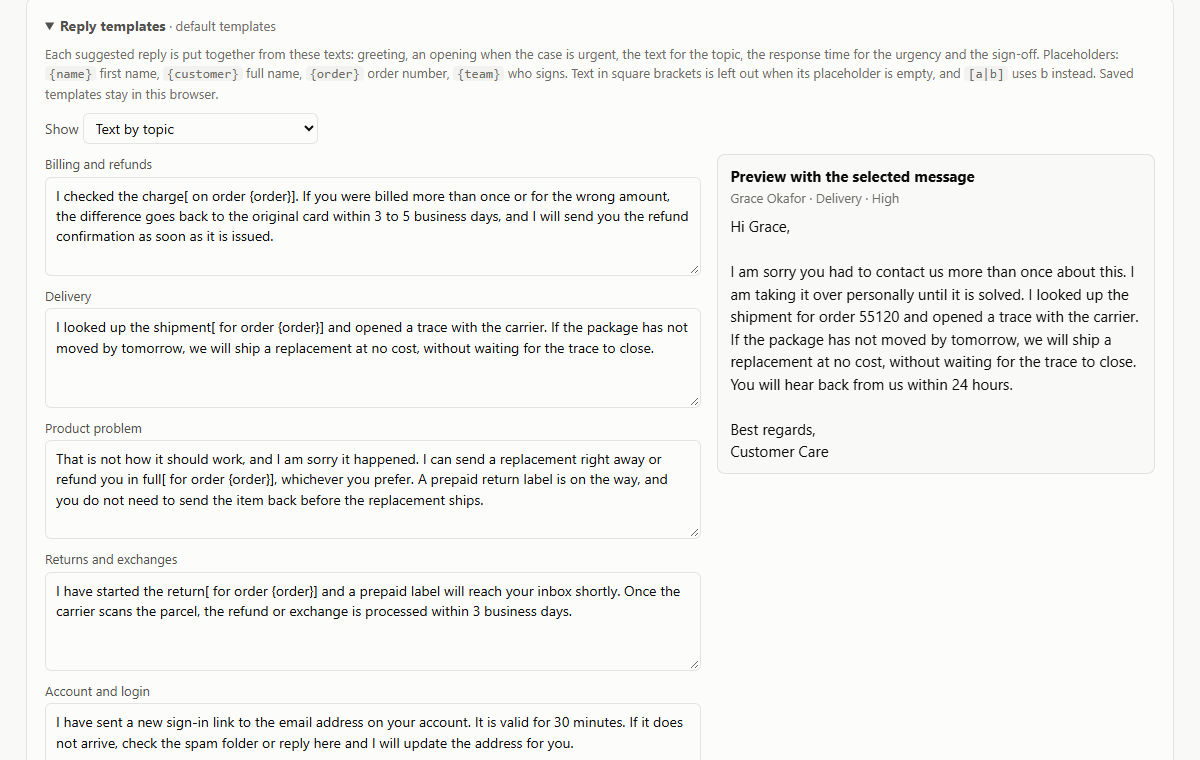
- Work the queue from the top. Each message has a suggested reply put together from templates by topic and urgency, with the customer's name, the order number and a response time that fits the urgency. No AI is involved: edit the templates to your company's tone and save them.
Screens
About the demo
The demo loads 101 invented tickets and reviews. Nothing you load leaves your browser; edited templates are saved in this browser only.
What a full version would add
The demo covers the daily work. Set up for a company, it would also have:
- A direct connection to the help desk or mailbox, so new tickets are sorted as they arrive
- Replies sent from the tool and the ticket closed in the help desk
- Topics set up for the company's own products and policies
- Response time targets with alerts
- A weekly report of topics and response times
- AI drafts as an option, with the company's own API key and switched off by default